
Tenbri UI
Browse and verify a stream in the browser: the read-only UI tenbrid serves at its root, with dashboards, decisions, traces as timelines and an integrity check.
tenbrid serves Tenbri UI at its root: a read-only web UI over the same REST API your agents
write to. It shows what your agents decided, how it went and whether the record still verifies,
without anyone running a command.
Run it
Start tenbrid with at least one stream and one token, as in
The tenbrid server:
tenbrid token                    # prints a token once, and its [[tokens]] entry
tenbrid --config tenbrid.toml
Open http://127.0.0.1:7070 and sign in with the stream's name from tenbrid.toml (or its tnb1:
id) and the bearer token. The token stays in that browser tab (sessionStorage) and is sent only
to tenbrid. A token sees the streams its [[tokens]] entry allows; add more streams from the
stream menu at the top of the sidebar.
The UI is read-only: it calls the query, entry, receipt, tail and verify endpoints, never a write.
To reach it from another machine, set listen (or TENBRI_LISTEN) and put tenbrid behind TLS,
as for any client.
Pages
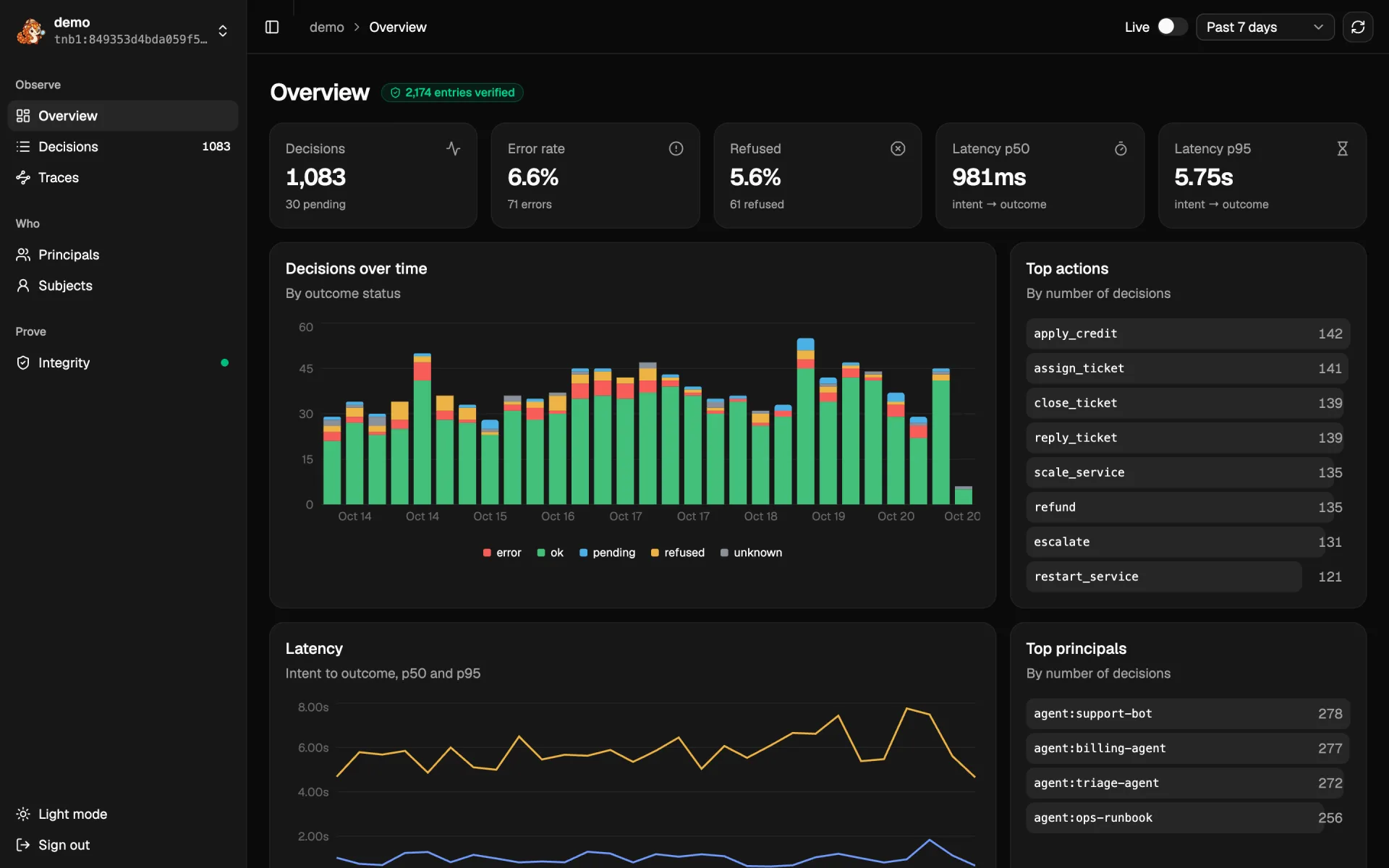
Every page reads the time range picked at the top (past hour to all time). Live follows new entries as they are written.
| Page | What it shows |
|---|---|
| Overview | Decisions by outcome status over time, error and refusal rates, intent to outcome latency (p50, p95), top actions and principals |
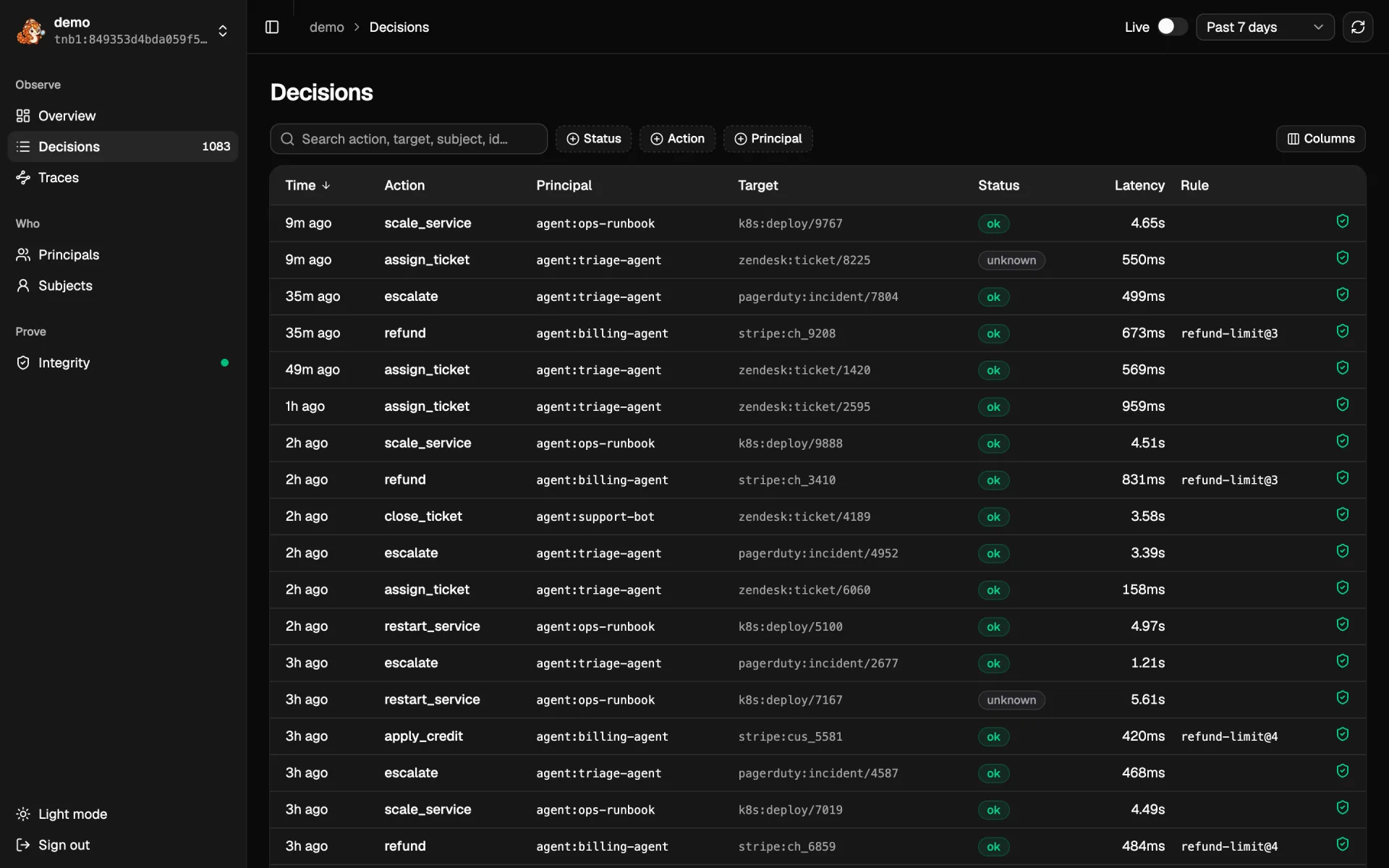
| Decisions | One row per decision: the intent joined with its outcome and approval. Search, filter by status, action and principal, sort, pick columns. Filters are in the URL, so a link shares the view |
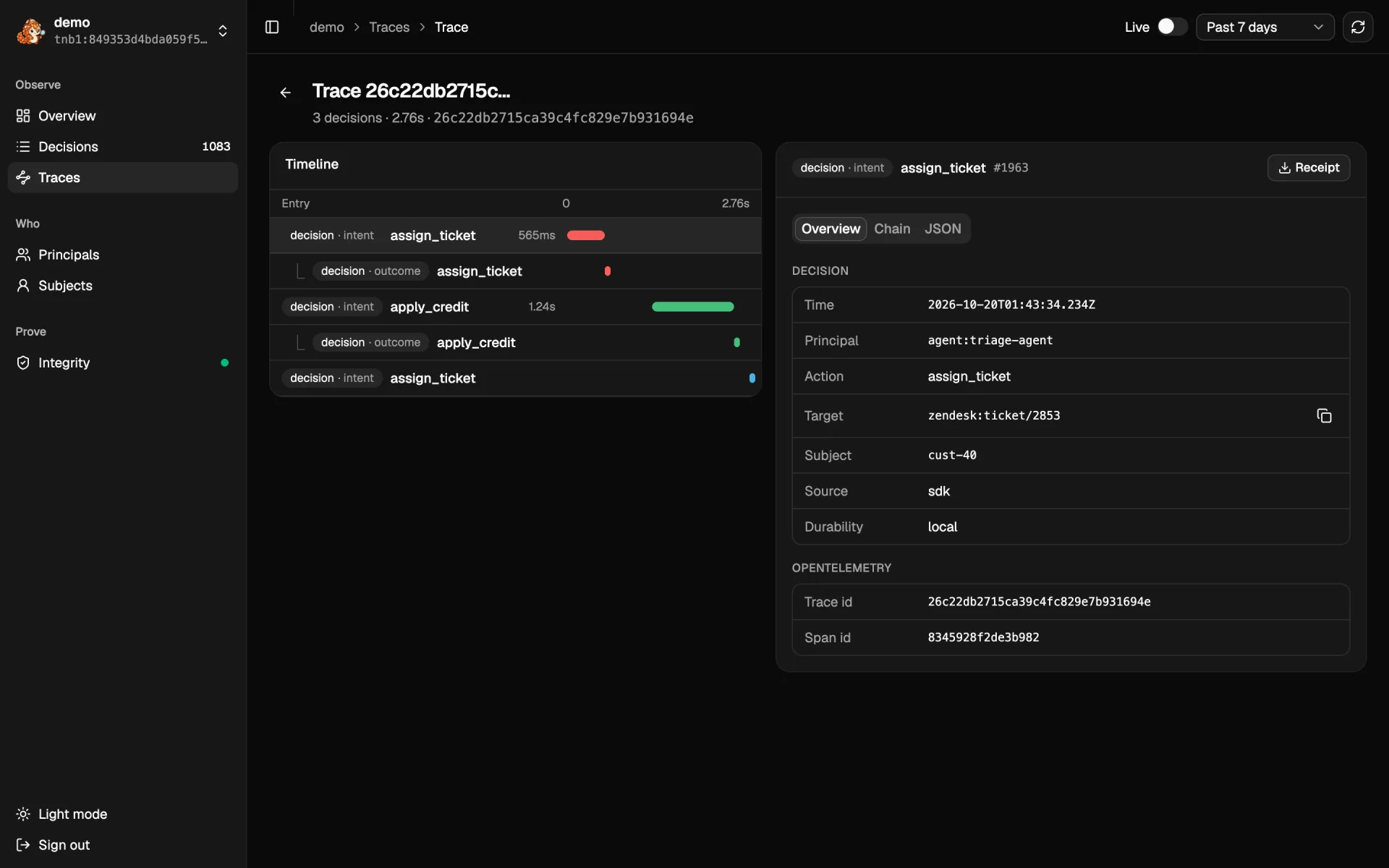
| Decision | The approval, intent and outcome on a timeline, and each entry's fields, chain links and raw JSON. Receipt downloads a receipt for the entry |
| Traces | Decisions grouped by their OpenTelemetry trace; each opens as one timeline |
| Principals | Per agent or person: decisions, error rate, refusals, p95 latency, top action |
| Subjects | Per subject: the decisions about them, the data erasure works on |
| Integrity | Whether the whole stream verifies against its pinned key, the head, the latest checkpoint and the key events |
Limits
- The UI reads the selected range into the browser, at most 20,000 entries, and computes the charts there. Pick a shorter range for busier streams.
- Live follows every new entry, whatever the filters.
- A verified badge comes from
GET /v1/streams/{stream}/verify, which reads the whole stream from storage. For evidence you hand over, use a receipt ortenbri verifywith your own pin (Verify as an auditor).
Quickstart
Record your first decisions in five minutes: tenbri.init() and a decorated function in Python or TypeScript, or the CLI alone, then tail, show and verify the stream.
What is an Agent Decision Record
The category Tenbri belongs to, the properties a record must have to count as one, and the Tenbri feature behind each.